Your OneDrive is a haystack. DocFlo finds the needle — and cites it.
Years of board papers, contracts, financial models and management reports — 100,000s of files. Ask in Copilot, and DocFlo answers across all of them, with the file and section behind every point.
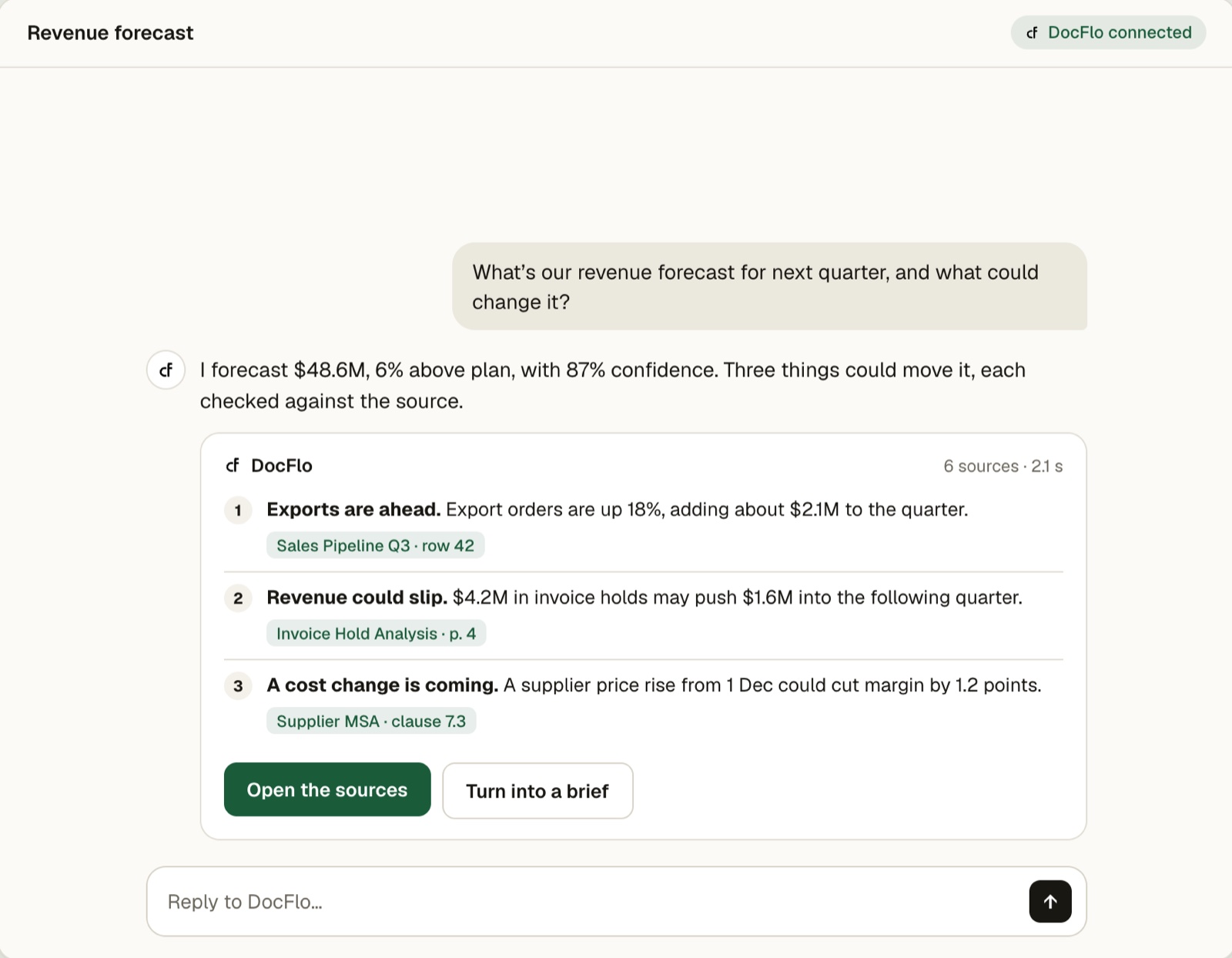
The most valuable files in the company are the hardest to search.
A CXO’s OneDrive holds years of board papers, contracts, strategy documents, financial models and management reports across every business unit and function — mostly unstructured PDF, Word, Excel and PowerPoint. Strategic decisions need information from several of these domains at once.
Finding the clause, figure or past decision that matters is like finding a needle in a haystack.
From scattered files to a cited decision — without leaving Copilot.
DocFlo is an agent inside Microsoft 365 Copilot. You ask where you already work; no separate web app, no new habit.
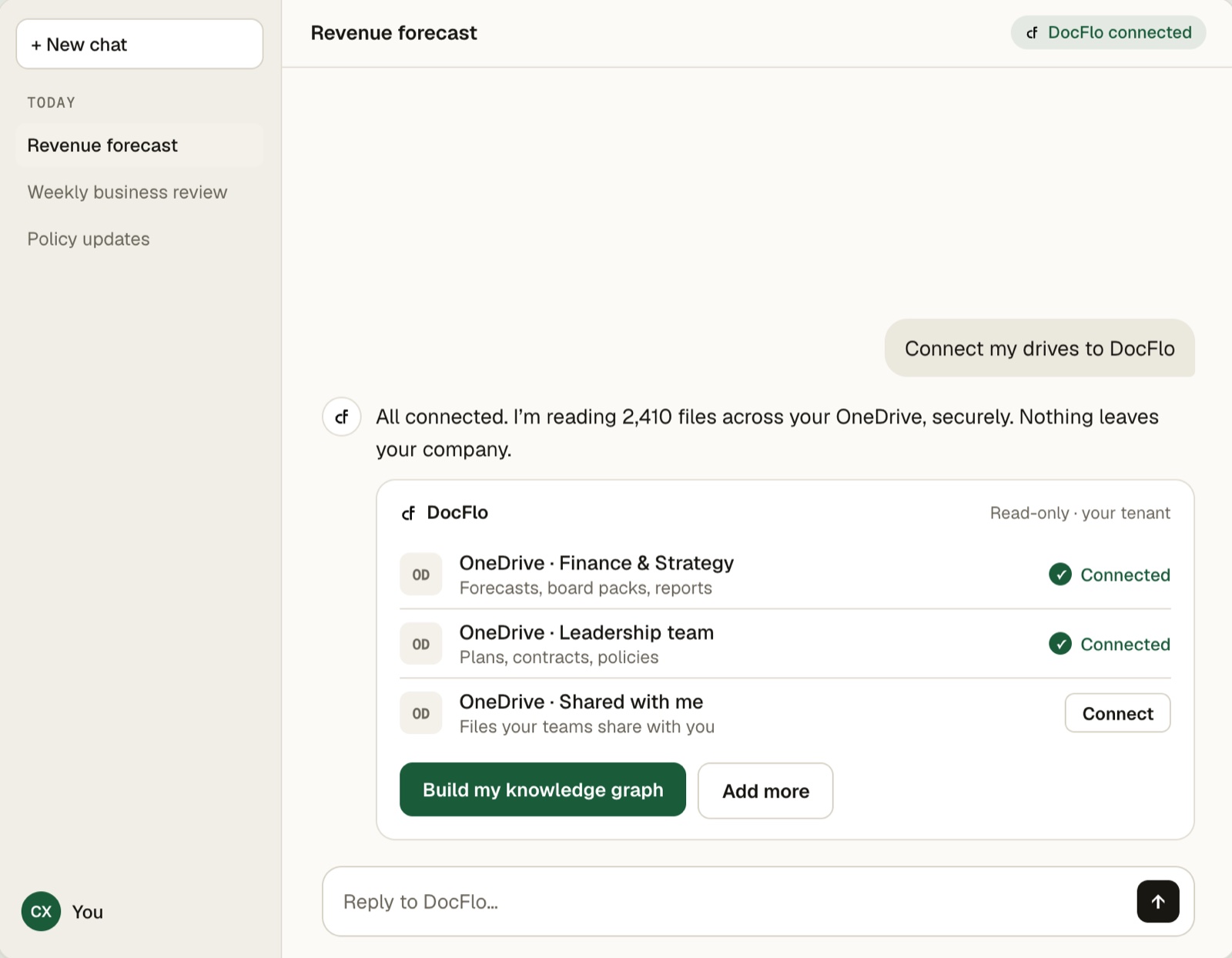
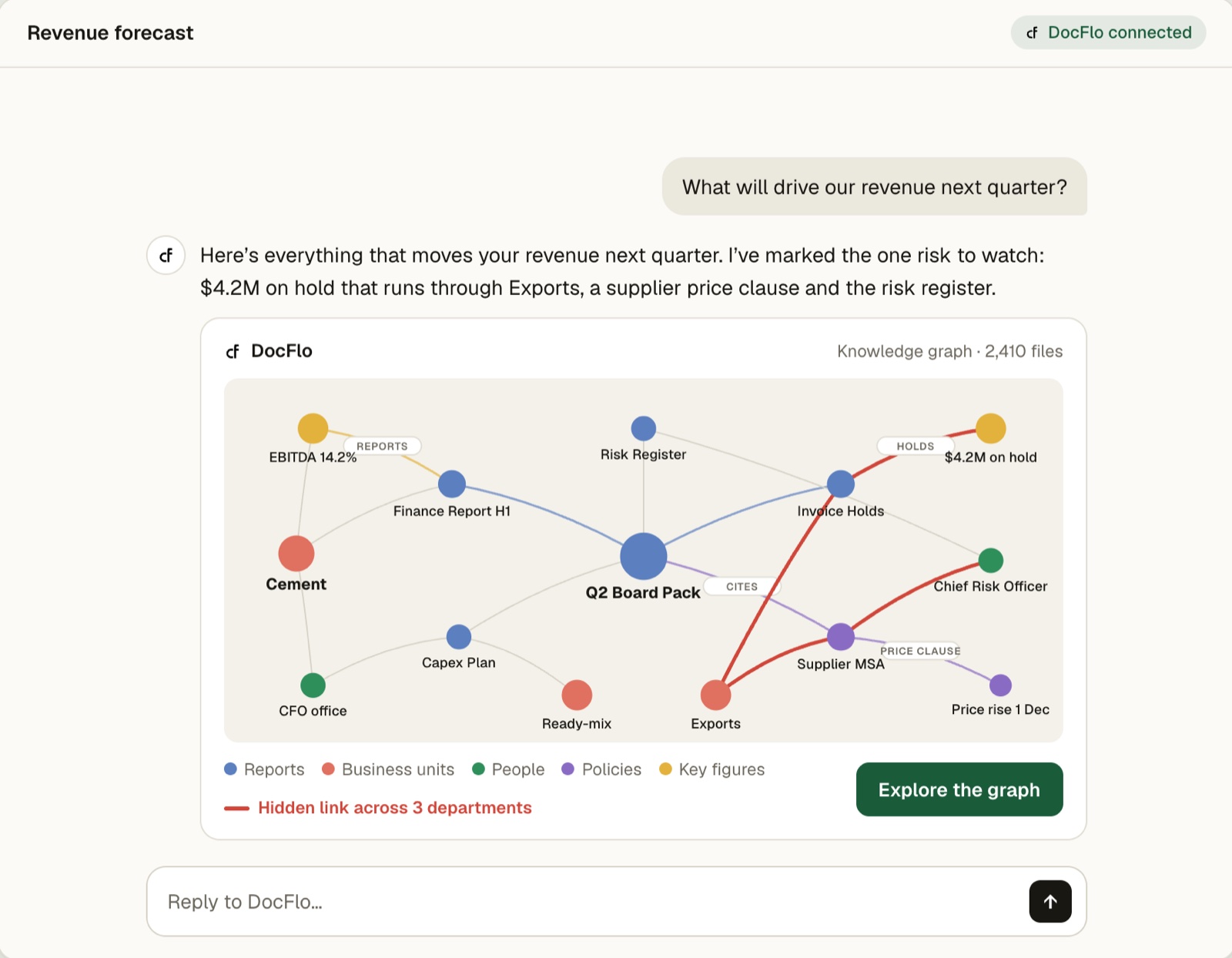
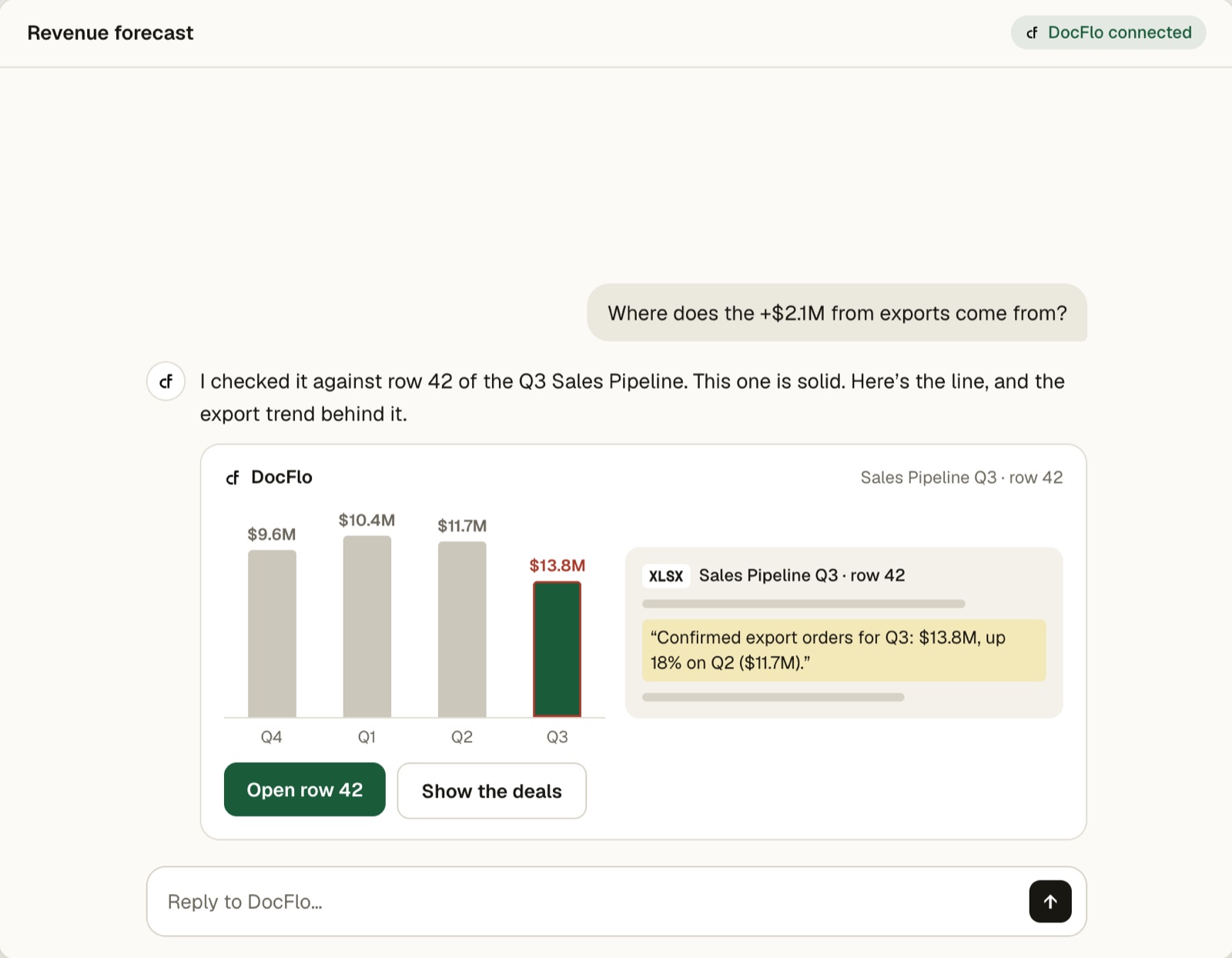
Interactive cards, not walls of text.
DocFlo connects to Copilot over the Model Context Protocol (MCP) as a headless integration to ⦃param⦄ ai/Studio. Connecting a drive, choosing folders and following the sync all happen in rich cards right in the conversation.
Connect OneDrive
Sign in to Microsoft in the page that opens. This card carries on by itself once you’re connected.
Choose what to add
OneDrive · only the folders and files you switch on are added.
Sync status
Syncing has started. Documents become searchable one by one.
Retrieval you can reproduce. Answers you can check.
Most assistants let a model decide what to read. DocFlo doesn’t. Context is retrieved deterministically, so it is fast, low-cost and the same every time.
A knowledge graph of your documents
DocFlo connects to OneDrive and maps the entities, clauses, figures and relationships across every file.
Deterministic retrieval
Vector search, fuzzy matching and graph traversal. No LLM call sits in the retrieval path.
Answers only from what was retrieved
The model answers from the retrieved context alone. Each statement links to the document and section it came from.
Outputs you can take into the room
A briefing note, contract summary or decision pack — every figure traceable to its source.
Built for the questions that cross departments.
Find what nobody flagged
Uncover anomalies, optimisation avenues and new opportunities hiding across years of reports and models.
Cross-functional answers
Questions that need finance, operations, legal and strategy documents together — answered as one.
Board & review prep
Prepare from past board papers, packs and minutes. Know what was decided, when, and why.
Contract terms, checked
Check terms across master agreements and every amendment, down to the clause.
Compare plans & periods
Compare plans, policies and reports across business units, regions or quarters.
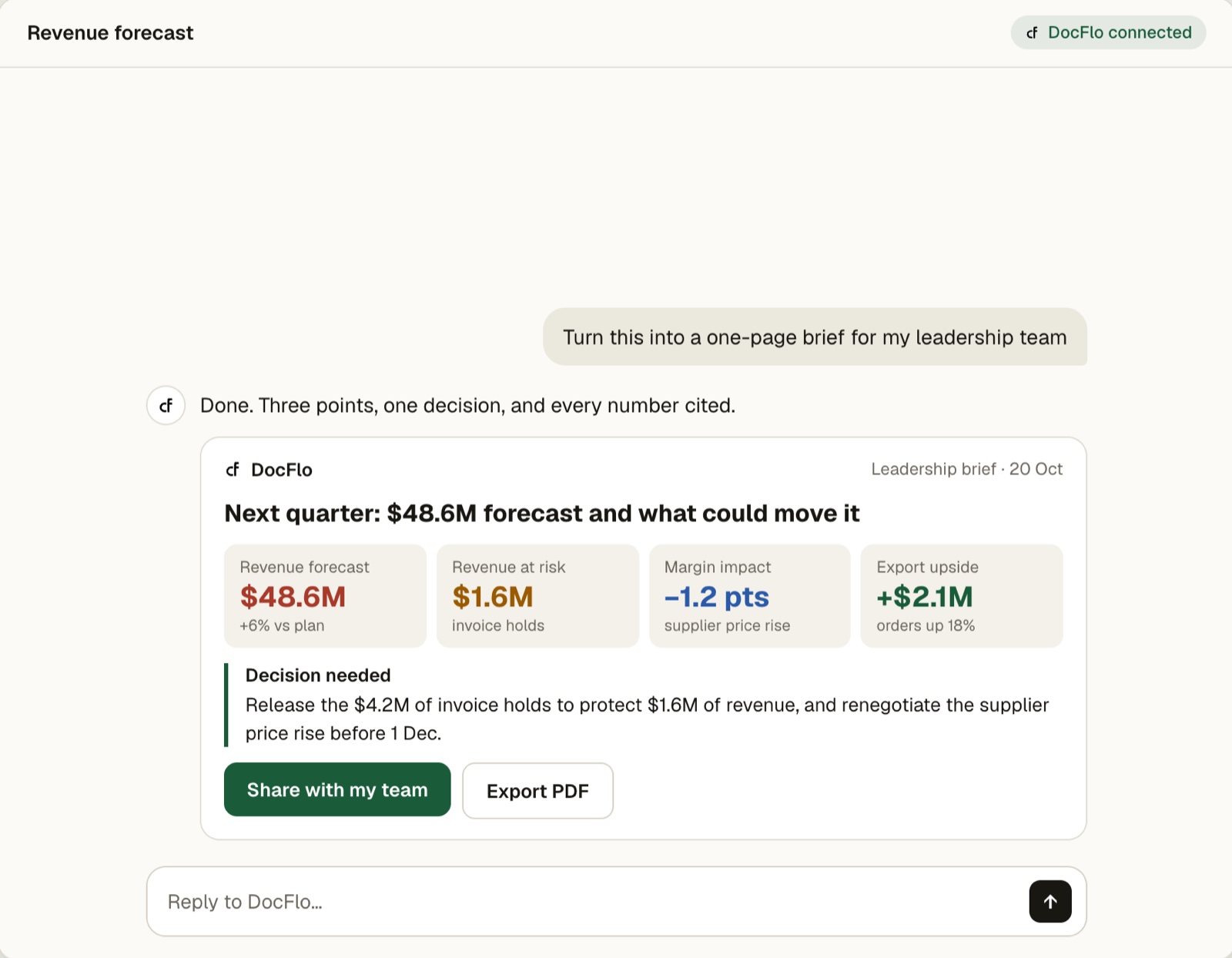
Try: “What will drive our revenue next quarter?” · “Which contracts renew before March, and on what terms?” · “Turn this into a one-page brief for my leadership team.” More example prompts →
The same contract every ⦃param⦄ agent inherits.
DocFlo runs on ⦃param⦄ ai/Studio, a governed agentic AI platform. Governance is structural — it holds for every question, every user, every run.
Traceable
Every step of every run is recorded and auditable.
Reproducible
The same question on the same documents produces the same plan and the same result.
Cost-bounded
Each run operates within a set budget and cannot exceed it.
Grounded
Answers cite their sources rather than relying on model memory.
Start in minutes. Or keep everything inside your cloud.
Hosted by ParamNetwork
Connect your OneDrive and start. No infrastructure to manage.
- Find DocFlo under Agents in Microsoft 365 Copilot
- Sign in once; connect OneDrive and SharePoint read-only
- Access checked as you, on every request
Runs within your cloud
A dedicated or on-premises deployment, published to your tenant with its own package.
- Documents and knowledge graph stay in your environment
- Sign-in through your Microsoft Entra ID
- AI processing inside your perimeter
DocFlo runs knowledge-graph agents over a large document estate at a US$7 billion manufacturing enterprise, inside the customer’s perimeter.
Prefer Claude? DocFlo is there too.
The same DocFlo, available as a connector in Claude. Connect OneDrive, SharePoint or Google Drive and get the same knowledge graph, the same interactive cards and the same cited answers. One project, asked from whichever assistant your team uses.
Microsoft 365 Copilot
OneDrive · SharePoint
Claude
OneDrive · SharePoint · Google Drive
Three steps. About ten minutes.
Allow DocFlo
In Teams admin centre → Manage apps, set DocFlo to Allowed and assign it to your leadership group.
Setup guide →Open it in Copilot
Find DocFlo under Agents in Microsoft 365 Copilot and sign in once.
Signing in →Connect & ask
Say “Connect my OneDrive”, switch on the folders that matter, and start asking.
Connecting OneDrive →Frequently asked.
Does DocFlo change my OneDrive or SharePoint files?
No. Access is read-only. DocFlo never changes, moves or deletes a file, and only reads the folders you switch on.
Who can see the answers drawn from my documents?
Every request runs as you. DocFlo checks your workspace and project access on every call, so people only reach the projects they belong to. Add only documents that every member of a project may see.
How is DocFlo different from asking Copilot directly?
DocFlo builds a knowledge graph of the entities, clauses, figures and relationships across your documents, then retrieves deterministically — vector search, fuzzy matching and graph traversal, with no LLM call in the retrieval path. The model answers only from that retrieved context, and every statement links to the file and section it came from.
What file types does DocFlo read?
PDF, Word, Excel and PowerPoint, plus scanned pages and images. DocFlo reads each page the way a person would, so a figure in a chart or a table in a scanned annex is not lost.
What do we need to get started?
A Microsoft 365 Copilot licence for each person, DocFlo allowed and assigned by your Microsoft 365 administrator, and a DocFlo workspace. Then open DocFlo under Agents in Copilot, sign in once and connect your OneDrive.
Can I use DocFlo outside Microsoft 365 Copilot?
Yes. DocFlo is also available as a connector in Claude, where you can connect OneDrive, SharePoint or Google Drive. It is the same MCP server, the same knowledge graph and the same cited answers, so a project you set up once can be asked from either assistant.
Can DocFlo run inside our own cloud?
Yes. The SaaS edition is hosted and operated by ParamNetwork. The Enterprise Edition runs in an environment dedicated to you or on your own infrastructure, with sign-in through your Microsoft Entra ID and all processing kept inside your environment. Contact sales to arrange it.
Full documentation: DocFlo support →
Make your leadership drive answerable — today.
DocFlo is one application on ⦃param⦄ ai/Studio. The same platform runs natural-language BI, legacy code modernisation, governed voice agents and custom agentic workflows — under the same governance model.